Schedule a recurring transaction
Subscription, rent, salary, interest your bank pays daily: set the rhythm once and Piff records the transaction for you on every occurrence.
Anything that comes back on a fixed date shouldn't be typed twice. You describe the transaction once, pick its rhythm, and Piff creates it automatically — updating your wallet balance and budget envelopes exactly as if you had entered it yourself.
- 11 / 6
Fill in the transaction as usual
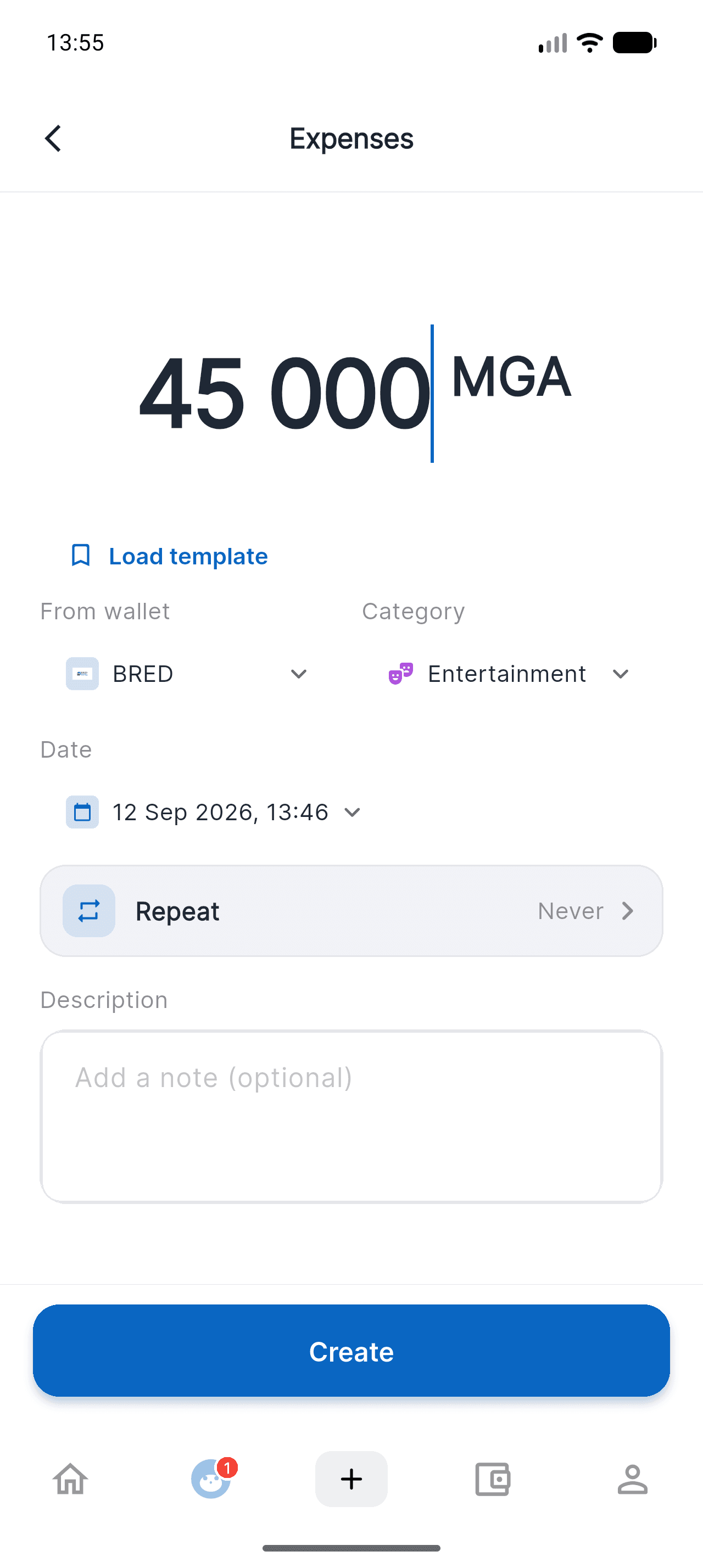
From home, tap the + at the bottom of the screen, then Expenses (or Income, or Transfer). Enter the amount, the wallet to debit and the category: nothing changes compared with a normal transaction.
- 22 / 6
Tap the "Repeat" row
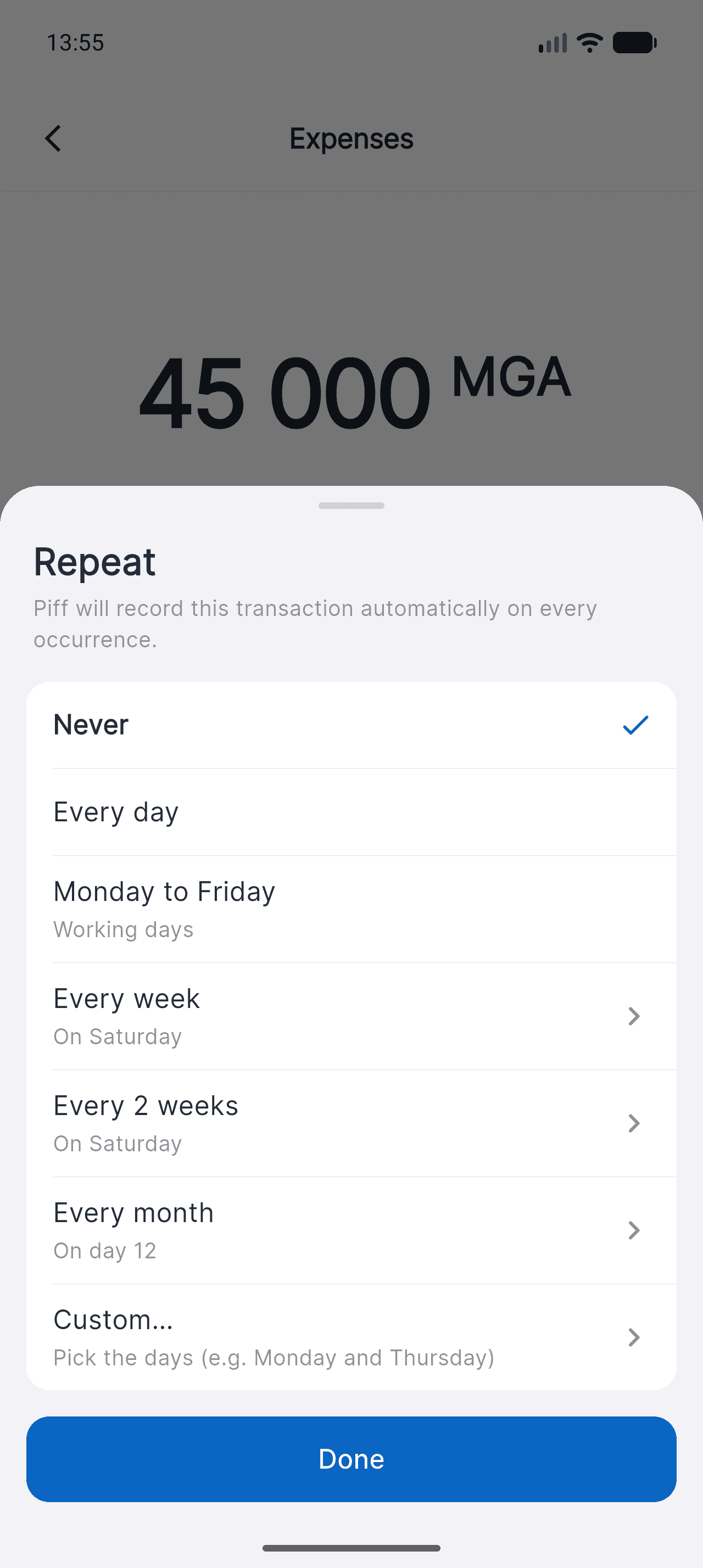
Right below the date, the Repeat row shows Never by default. Tap it: Piff offers the most common rhythms straight away, with no fiddly setup.
The row stays out of your way until you use it: a one-off transaction is entered exactly as before.
- 33 / 6
Pick the rhythm, and the exact day
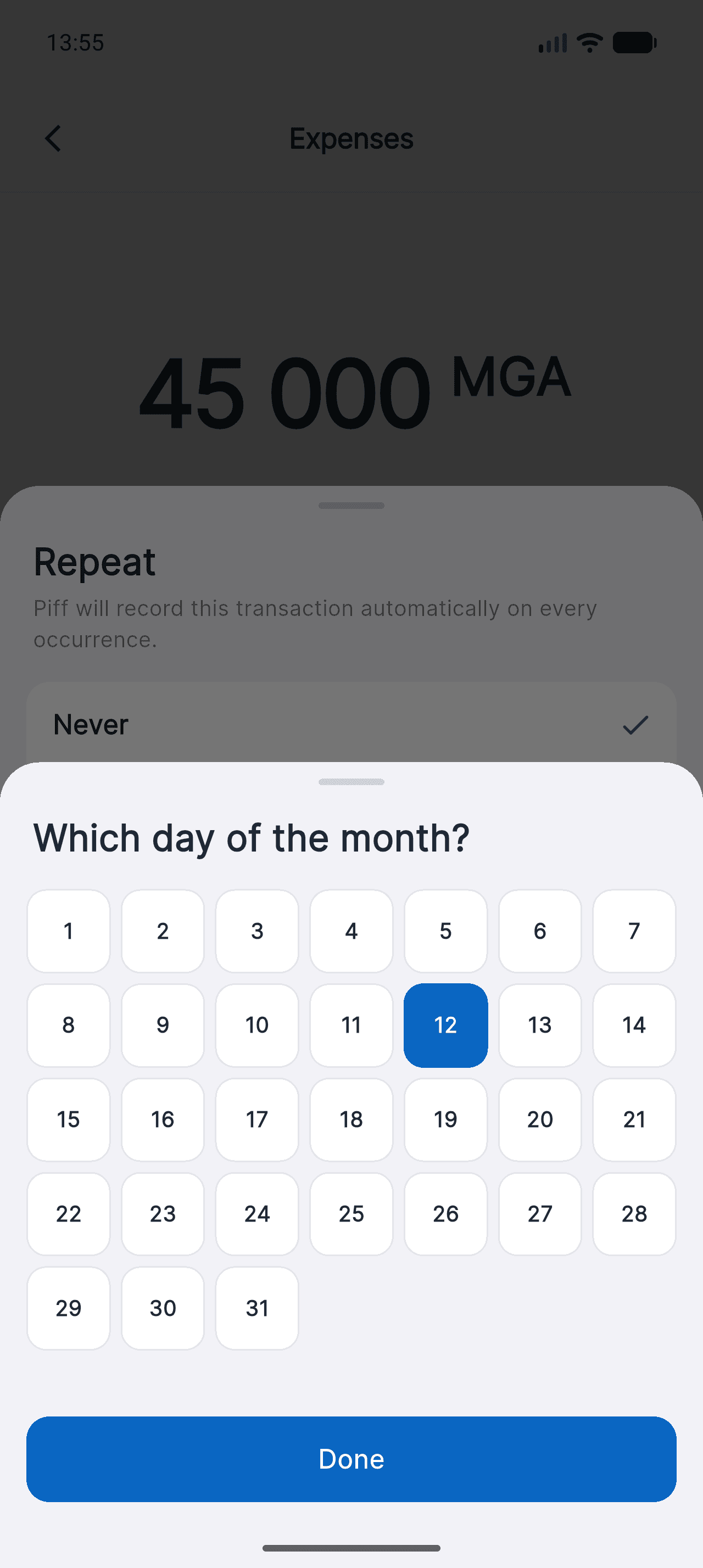
Every day, Monday to Friday, every week, every 2 weeks, every month. For rhythms that depend on a day, tap the row: a grid opens so you can pick the exact day of the month.
Need Monday and Thursday, or every 3 weeks? "Custom…" opens a day-by-day picker. And if you pick the 31st, shorter months use their last day.
- 44 / 6
Check the first occurrence
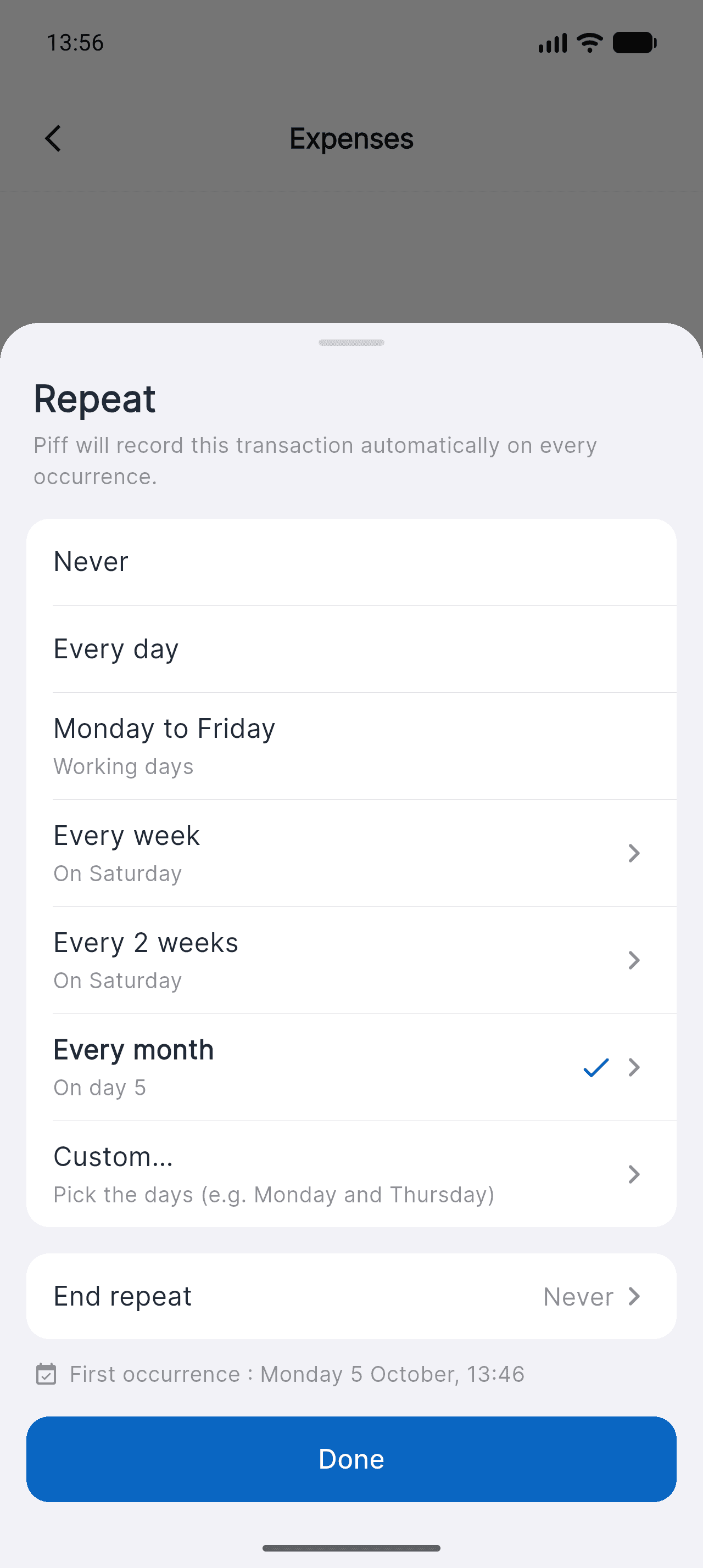
At the bottom of the sheet, Piff tells you the exact date of the first automatic entry. You can also set an end date — or let the rule run indefinitely. Tap Done.
- 55 / 6
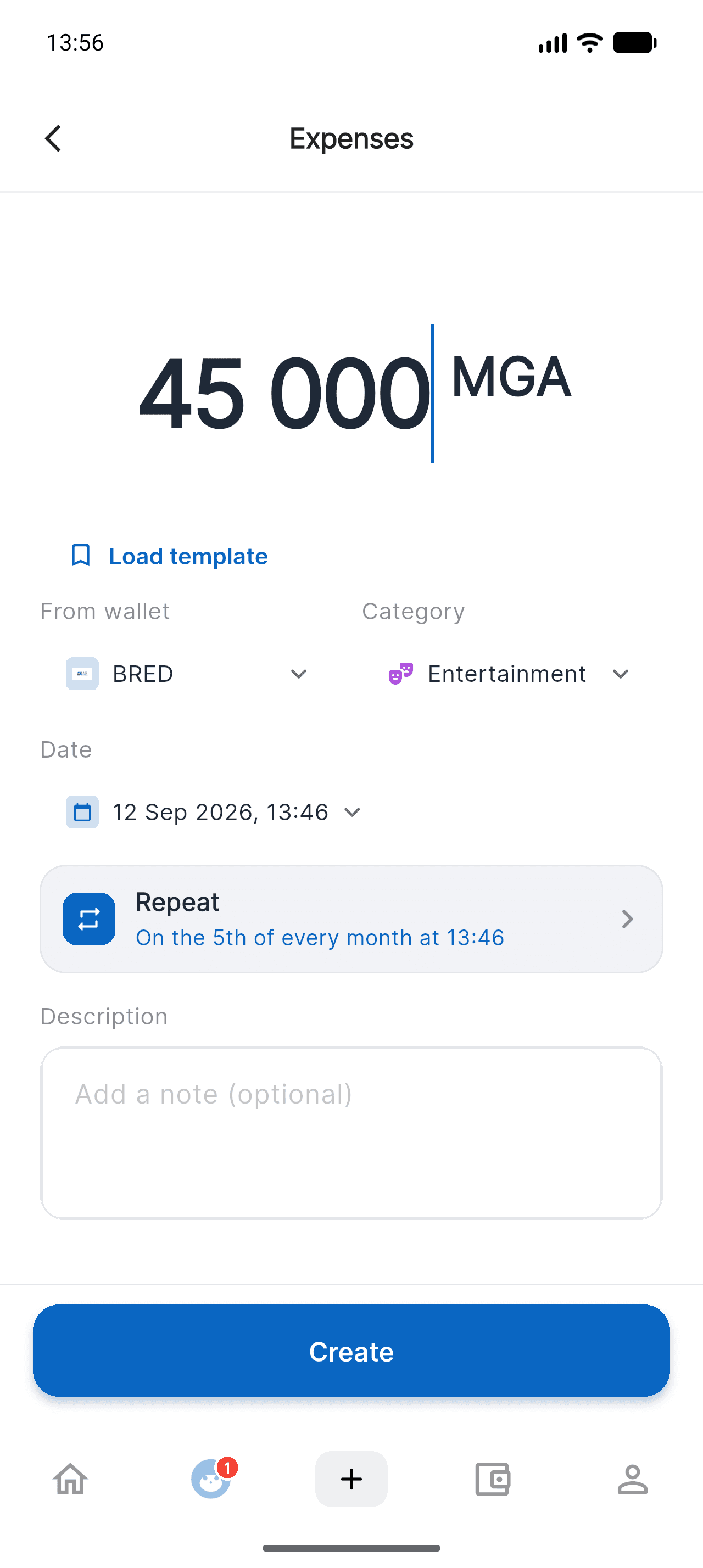
Create the transaction
Back on the form, the Repeat row sums up the rule in plain words: "On the 5th of every month at 13:34". Tap Create, and it's scheduled.
- 66 / 6
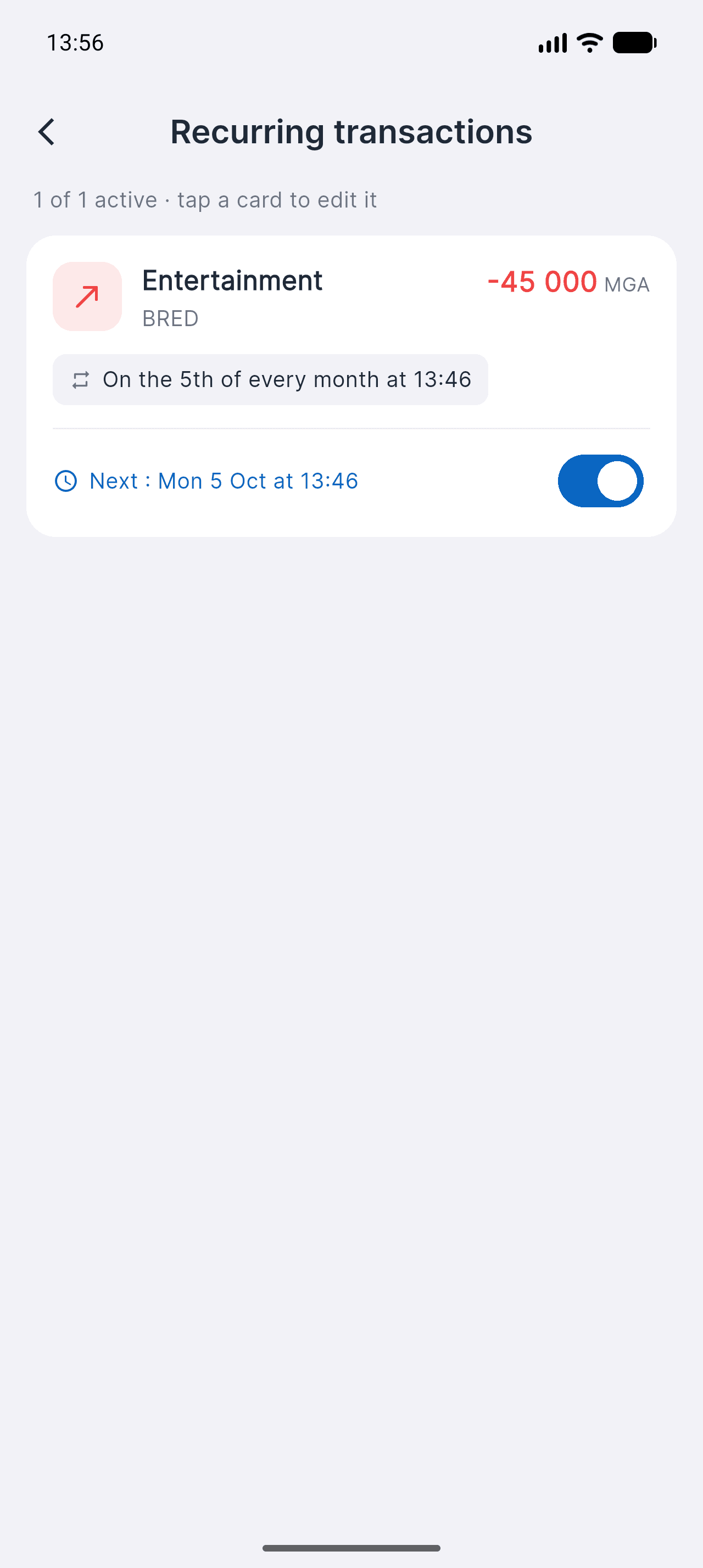
Find and steer your rules
Profile > Recurring transactions lists every rule, with its next occurrence and a switch to pause it. Tap a card to change the amount, the time or the rhythm — or to delete it.
Deleting a rule doesn't remove the transactions already recorded: only future occurrences stop.
Good to know
- Occurrences missed while your phone is off are caught up automatically: the server creates them, not the app.
- On the free plan, the 20 transactions per month limit also applies to recurring transactions. Beyond that, the rule pauses and you're notified.
- If the wallet is disabled, the rule pauses instead of failing silently — you switch it back on once everything is sorted.

Take control of your money
Free on iOS. Less than two minutes to get started.